• Home
  • >
  • New Arrival! HTVRONT D2 DTF Printer
New Arrival! HTVRONT D2 DTF Printer
$3,499.99
$3,499.99
Checkout supports Shop Pay installment payments. Free OCR Image
Discount Note Discount Note

Promotional discount

optimal discount strength!
00 00 00 00
$900 off Code: DTF88
Copy Code
HTVRONT D2 DTF Printer, Standard Kit - Daisy White

Standard Kit

$3,499.99
$3,499.99
HTVRONT D2 DTF Printer, Oven Kit - Daisy White

Oven Kit

$3,749.00
$3,749.00 $3,999.00
HTVRONT D2 DTF Printer, All-in-one Kit - Daisy White

All-in-one Kit

$3,999.00
$3,999.00 $4,349.00
New Arrival! HTVRONT D2 DTF Printer
Previous
next

The Worry-free Start for DTF Business

HTVRONT D2 DTF Printer

Play

Everything You Need for Easy DTF Printing

Less Clogging, Less Maintenance An automated maintenance system keeps the printer ready with smooth ink flow and stable operation.
Automatic Care, Even While You Sleep Turn off the computer. Just keep the printer plugged in. One click starts, ultra-low-power maintenance — quiet, clean, and efficient.
Instant Alerts, Worry-Free Printing Smart alerts for ink shortage and leakage-with light sand beeps-help prevent printing interruptions, messy leaks, and wasted transfers

Built to Run Orders

2-in-1 Software

Design & Print, All in One

Smart Nesting
Auto Film Positioning
60,000+ Assets

All for Your Business

All fabrics and all apparel - D2 expands what you can offerand where you can grow your business.

Creative Studio

Customer Orders

Family Craft Time

Retail Store

Small-Batch Production

Market Booth

From Printing to Profit

You Care, We Support

Why HTVRONT D2

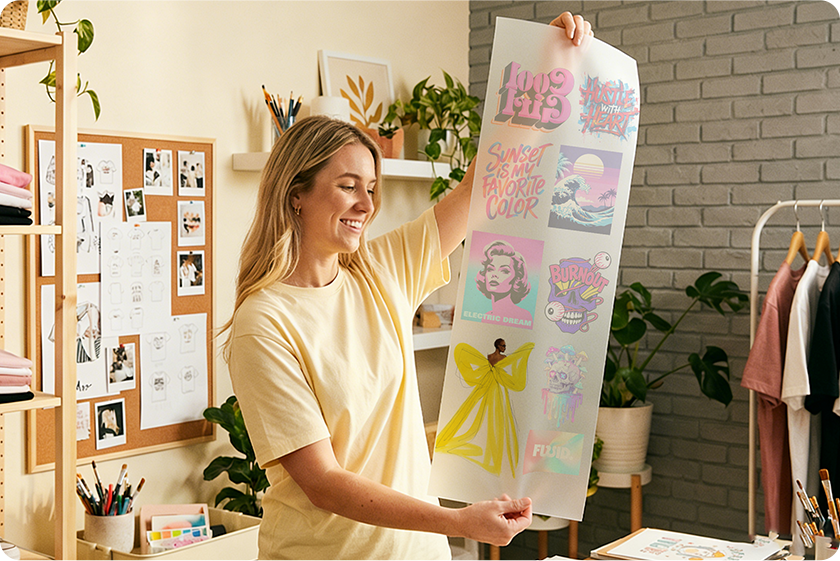
See What D2 Create

Master Your Craft

  • Tutorials
  • Logo of HTVRONT D2 DTF Pinter-Unboxing and Installation

  • Logo of HTVRONT D2 DTF Pinter-First Use Lesson

  • Logo of HTVRONT IdeaStudio - Interface Overview

Included in the Box

All Affordable Consumables

Specifications

Quick Start

Design

Design the image on the software and set up the parameters

Print

Print out the image on the DTF transfer film

Spread

Spread the DTF powder evenly over the printed film

Bake

Put the film into the oven and bake

Transfer

Use the heat press or an iron to transfer the design on fabrics

Peel

Peel off the carrier after cooling down

FAQ

When will my order ship?

Orders will be shipped on a first-come, first-served basis.US local delivery(about 3-10 days).

Do you offer installment payments?

Yes, we do. Our website offers Klarna and Afterpay payment services. If you need to pay in installments, please contact us.

I’m new to DTF printing. Is the D2 difficult to use?

No. The D2 is designed for beginners and small business users. It features:- all-in-one software - a clean and intuitive interface - step-by-step tutorial videos - easy hardware setup You can start printing your first transfer on the same day you receive the machine.

DTF printers often clog. How does the D2 prevent this?

The D2 includes an automated maintenance system designed to reduce clogging risk.Key features include: - white ink circulation - white ink stirring - automatic printhead maintenance - Sleep-care Mode (offline maintenance without PC connection) This helps keep the printer ready to use even during idle periods or overnight.

How do I download the software? Is it free? What system is supported?

The software is completely free. Download it here: https://www.htvront.com/blogs/d2-dtf-printer-guideYou can also access 60,000+ free SVG files, vectors, and photos in the software Library. Supported system: Windows 10 or later (Windows only)

What consumables does the D2 use? Can I use third-party ink?

The D2 supports:- HTVRONT-branded DTF ink - DTF powder - DTF transfer film A 30-day consumable kit is available separately. Note: 1. Only HTVRONT D2 ink is supported. 2. D1 ink and third-party ink are not compatible. 3. Damage caused by non-D2 ink is not covered under warranty.

What are the printing specifications and machine size?

Printing specs: - Print width: 13 inches - Resolution: up to 720 × 1440 DPI - Print speed: up to 16 ft/hour - 6-channel print system - Commercial-grade output quality Machine handling: The printer includes dual side handles for easier lifting. We recommend two adults carry the machine safely.

Can I print on all fabrics? Is the result washable and stretchable?

Yes. DTF transfers work on most fabric types. Printed results are washable, stretchable and durable. Note: For best results, wash garments inside out.

What is the after-sales policy? How can I get technical support?

Warranty coverage: - Printhead & mainboard: 6 months - Other machine parts: 12 months - Return window: 15 days Technical support options: - Remote online support - Repair service if needed Contact: support@htvront.com

Where can I find all D2 learning materials?

Visit the Machine Guide page: https://www.htvront.com/blogs/d2-dtf-printer-guide Available resources include: - User manual - Quick start guide - Software download - Step-by-step tutorials - Training videos - Blog articles - User examples

Does the D2 require constant PC connection or a USB dongle?

No. The D2 does not require a USB dongle or constant PC connection. It supports Sleep-care Mode for automatic offline maintenance. Simply keep the printer powered on to maintain white ink circulation and printhead condition during idle periods.

How many white-ink fill options are available?

The D2 supports four white ink fill modes: No Fill, Image Area Fill, Object Area Fill and Transparent Area Fill. These options cover most printing scenarios. For detailed instructions, please refer to Lesson 8: IdeaStudio – White Ink Fill.

What does the Deep Cleaning Tube do?

When the printer will be stored for a long period or prepared for shipment, the Deep Cleaning Tool removes ink from the printhead and ink tube system to prevent clogging; for detailed instructions, refer to "Section 7 Deep Cleaning Instructions" or the tutorial video.

How should I maintain the printer daily? What if I will be away for a long time?

Daily maintenance is supported by Sleep-care Mode, printhead self-cleaning, and white ink circulation. If the printer will not be used for an extended period, perform deep cleaning before storage. For details, see:https://www.htvront.com/blogs/d2-dtf-printer-guide

What is the difference between D1 and D2?

Compared with the D1, the D2 includes the following upgrades: 1. All-in-one software: No USB dongle required. Supports automatic nesting, built-in design resources, and AI image generation. 2. Sleep-care Mode: Maintenance runs with power connected only. No computer connection required. 3. Ink shortage and leakage alerts: Helps monitor printer status during operation. 4. Larger ink capacity (300 ml): Reduced refill frequency compared with 250 ml on D1. 5. Three quick-check doors: Faster and easier daily maintenance. 6. Dual pneumatic supporters: Smoother and more stable lid opening.
HTVRONT reserves final interpretation rights for this event.