Vinyl Cutter
A vinyl cutter is a must-have tool for heat press work. By connecting the machine to your computer, you can use Loklik software to transfer, move, and redesign your designs. The HTVRONT Vinyl Cutter supports tracing, giving you a clearer view of where your design will be cut on the HTV vinyl. By switching the cutter head to a pen, the machine can also be used as a drawing machine.
-
$139.99 Regular priceRegular priceSale priceUnit price per$139.99
$229.99 -
$26.99 Regular priceRegular priceSale priceUnit price per$26.99
$34.99 -
$9.99 Regular priceRegular priceSale priceUnit price per$9.99
$12.99 -
$14.99 Regular priceRegular priceSale priceUnit price per$14.99
$19.99 -
$15.99 Regular priceRegular priceSale priceUnit price per$15.99
$29.99 -
$4.99 Regular priceRegular priceSale priceUnit price per$4.99
$8.99 -
$9.99 Regular priceRegular priceSale priceUnit price per$9.99
$16.99 -
$9.99 Regular priceRegular priceSale priceUnit price per$9.99
$12.99 -
$48.99 Regular priceRegular priceSale priceUnit price per$48.99
-
$49.99 Regular priceRegular priceSale priceUnit price per$49.99
$70.99 -
$18.99 Regular priceRegular priceSale priceUnit price per$18.99
$18.99 -
$59.99 Regular priceRegular priceSale priceUnit price per$59.99
$74.99 -
$14.99 Regular priceRegular priceSale priceUnit price per$14.99
$20.99 -
$79.99 Regular priceRegular priceSale priceUnit price per$79.99
$79.99 -
$8.99 Regular priceRegular priceSale priceUnit price per$8.99
$12.99 -
$18.99 Regular priceRegular priceSale priceUnit price per$18.99
$39.99 -
$3.99 Regular priceRegular priceSale priceUnit price per$3.99
$3.99 -
$6.59 Regular priceRegular priceSale priceUnit price per$6.59
$10.69 -
$15.99 Regular priceRegular priceSale priceUnit price per$15.99
$25.99 -
$39.99 Regular priceRegular priceSale priceUnit price per$39.99
Vinyl Cutter FAQs
What is a vinyl cutter?
A vinyl cutter is a machine designed to cut thin materials, primarily vinyl sheets, into precise shapes, designs, or text based on digital designs. It uses a small, sharp blade to trace and cut patterns dictated by software, usually from vector files like SVG or DXF. Vinyl cutters are widely used for creating stickers, decals, signage, heat transfer designs for clothing, and various DIY projects. They are available in different sizes, ranging from compact desktop models for hobbyists to large industrial machines for professional use. Vinyl cutters are popular due to their accuracy, ease of use, and ability to produce customized designs quickly.
What does a vinyl cutter do?
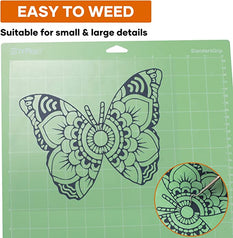
A vinyl cutter precisely cuts designs into vinyl sheets or similar materials using a small blade controlled by software. It can create intricate patterns, logos, text, or shapes for applications such as stickers, decals, signage, and apparel decoration. The machine works by following vector-based designs, ensuring clean and accurate cuts. After cutting, excess vinyl is removed (a process called "weeding") to reveal the final design. Vinyl cutters are versatile tools used in industries like advertising, crafting, and fashion, as well as by DIY enthusiasts for personal projects.
Can you cut vinyl with a laser cutter?
Yes, you can cut vinyl with a laser cutter, but it is not recommended. Vinyl contains PVC, which releases toxic chlorine gas when exposed to the heat of a laser cutter. This gas can damage the laser cutter's components and pose serious health risks. Instead, vinyl should be cut using a vinyl cutter, which is specifically designed for this material. If you need to use a laser cutter for similar projects, consider using laser-safe materials like acrylic or wood instead of vinyl.
How to use a vinyl cutter?
To use a vinyl cutter, start by creating or importing a design into compatible software, such as Adobe Illustrator or Silhouette Studio. Ensure the design is in vector format for precise cutting. Load the vinyl sheet onto the cutter, aligning it properly. Adjust the blade settings based on the material's thickness. Send the design to the cutter via the software, and the machine will trace and cut the pattern. After cutting, remove the excess vinyl (weeding) to reveal the final design. The cut vinyl can then be applied to surfaces or used for heat transfer projects.
How to use vinyl cutter?
Step 1: Design Creation - Use software like Cricut Design Space or CorelDRAW to create or import vector-based designs.
Step 2: Material Loading - Place the vinyl sheet onto the cutter and secure it properly.
Step 3: Blade Adjustment - Set the blade depth and pressure according to the vinyl's thickness.
Step 4: Cutting - Send the design to the cutter through the software, and the machine will cut the design.
Step 5: Weeding - Remove unwanted vinyl pieces to reveal the final design.
Step 6: Application - Transfer the design onto the desired surface, using transfer tape if necessary.


Black Friday Gift