A heat press uses controlled temperature, pressure, and time to bond transfer materials (like HTV, DTF, sublimation, and screen-printed transfers) to fabric. Nailing the result comes down to matching those three variables with the right materials and solid prep. Below is a step-by-step workflow—from setup to troubleshooting—for crisp, durable finishes.
🔧 Equipment & Materials Essentials
Get your toolkit dialed in before you start pressing.
Heat press types:
Clamshell: compact and fast; pressure can be uneven near the hinge.
Swing-away: more even pressure; better visibility and safer layout.
Draw press: pull-out lower platen for easy placement and viewing.
Transfer types:
HTV (heat transfer vinyl): great for solid graphics; requires weeding.
DTF (direct-to-film): vibrant, flexible, works on many fabrics.
Sublimation: chemically bonds to polyester; cotton needs special coating.
Screen-printed transfers: durable and batch-friendly.
Protective sheets:
Teflon/PTFE or silicone parchment to prevent sticking and bleed.
Baking parchment works in a pinch, but may slightly reduce surface gloss.
Helpful tools:
Heat-resistant tape for positioning.
Lint roller to remove fuzz.
Foam/felt pad or pressing pillow to level seams/buttons and fix uneven pressure.
IR thermometer or temp strips to verify platen accuracy.
🧪 Matching Fabrics & Transfers
The right pairing determines longevity.
100% cotton: ideal for HTV and screen-printed transfers; sublimation requires a polyester coating.
Polyester/performance blends: use lower temps to avoid dye migration and scorching; ideal for sublimation.
Nylon and technical fabrics: choose low-temp, flexible adhesives; spot-test for melting or wrinkling.
Light vs. dark garments: sublimation is best on light polyester; DTF and HTV cover darks with opaque inks/films.
Important note: Polyester dye migration can tint light graphics pink/gray. Counter with low-temp/longer-press formulas or a bleed-blocking underbase.
🧭 Setup, Calibration & Safety
Consistency beats guesswork—calibrate before you go to production.
Temperature check: actual platen temp can differ by 10–20°F from the display. Verify center and corners; if uneven, rotate garment placement or optimize pressure zones.
Pressure setting: follow supplier specs (light/medium/heavy). Without a gauge, use the “paper pull test”: at medium pressure, paper should pull with noticeable resistance.
Pre-press: 2–5 seconds to de-moisturize and flatten fibers. Critical for cotton and humid rooms; for sublimation, avoid long pre-presses to prevent ghosting.
Workspace safety:
Keep hands clear of the upper platen edge; swing-away or drawer styles are safer.
Manage cords neatly; keep soft plastics away.
Ensure ventilation when using coated sheets.
📐 Placement & Alignment
Accurate placement reduces rework and returns.
Common placements:
Left chest: 3.5–4 in wide; top about 3 in below the collar.
Front center: 2–3 in below the collar, centered.
Back: 3–4 in below the back collar.
Tools & tips:
Press a light center crease on the shirt and carrier sheet to align.
Use rulers/alignment guides; secure with heat tape.
Avoid seams, zippers, thick hems; use a pressing pillow to level the print area.
🔥 Press Settings: Time, Temperature, Pressure
Default to your material supplier’s specs. Typical ranges:
Finish press: 3–10 s with a cover sheet to flatten edges and set the adhesive (especially for DTF/HTV).
Cool flat to avoid warping or lift-back.
Care guidelines:
Wash inside-out.
Cold or warm water, gentle cycle.
Avoid bleach and fabric softeners (they weaken adhesion).
Low-heat tumble or hang-dry; avoid high heat.
Wait at least 24 hours before the first wash to fully cure the adhesive.
Which HTVRONT Heat Press Machines are good for T‑shirt pressing?
HTVRONT designs heat presses around the needs of DIYers, households, and small businesses—so many of our units are great for T-shirt work.
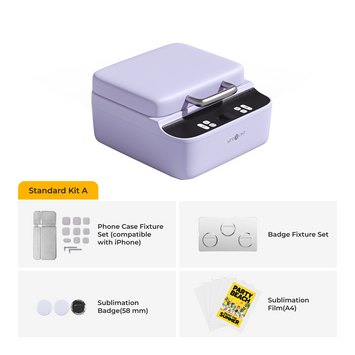
First up is our brand-new 2025 H10 12x10 in Heat Press—aka a portable T-shirt heat press. In short: portable, evenly applied pressure, and smart features. Most presses have bulky bases that keep them tied to a fixed studio. The H10 Portable Heat Press can go to classrooms, workshops, and craft fairs.
It’s an excellent T-shirt maker, though not without trade-offs: you’ll need to hold it and press down to apply more pressure (the control panel shows the pressure value). Also, demand has been strong, so it may be out of stock at times. We’re working hard to restock.
If you prioritize high-efficiency T-shirt production or want simpler operation, the Auto Heat Press Digi 2 is your best bet—especially for small businesses and studio teams. The smart display lets you set temperature, pressure, and time for full control. The pull-out drawer design makes placement easier and reduces wrinkling that can affect results. Picture this: gently slide the tray in, hear that crisp mechanical click, and the press starts automatically.
🛠️ Quick Troubleshooting Checklist
Edge lifting: slightly increase pressure or add 2–3 s; confirm you pre-pressed to remove moisture.
Wrinkles/“orange peel”: temperature/time too high, or pressure too firm; change only one variable at a time.
Scorch marks on cotton: lower temp, use a cover sheet, shorten time; or use two shorter presses.
Polyester dye migration: use low-temp adhesives (e.g., 285–300°F) and extend time; add a blocker underbase if needed.
Gray/hazy imprint (carrier texture showing): peel at the correct temperature, or finish with a parchment re-press for an even matte look.
✅ Key Takeaways
Start by matching “transfer type → fabric” to avoid most failures.
Calibrate platen temperature and level your pressure.
Pre-press to de-moisturize; use a pressing pillow to avoid seam interference.
Follow time/temperature/pressure and the peel window precisely; finish with a short re-press to seal edges.
Set clear care instructions to maximize lifespan.
With a calibrated press, consistent workflow, and a few protective habits, your tees will look pro, feel comfortable, and stay sharp wash after wash.


 Cart Unlocks Add-On Deals