Auto Heat Press
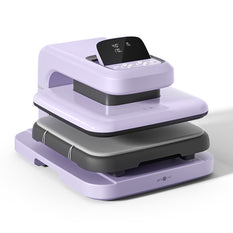
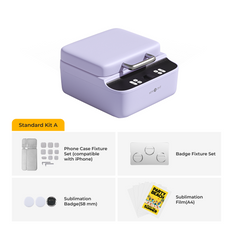
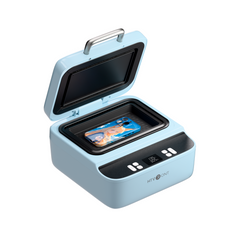
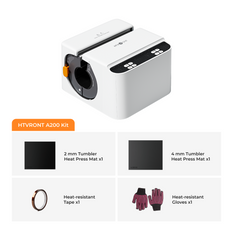
The HTVRONT Auto Heat Press series is designed to make heat pressing effortless, allowing beginners to dive into the joy of creative crafting with ease. But that’s not all—this series takes things to the next level with smarter automation, reduced repetitive steps, and exceptional durability, making it a game-changer for small creative businesses.
If you’re ready to turn your inspiration and creativity into real profits, the Auto Heat Press series is your ultimate heat press partner in success. Reliable, efficient, and built for dreamers—this is the tool that empowers you to bring your ideas to life and take your business to new heights!
-
$236.00 Regular priceRegular priceSale priceUnit price per$236.00
$295.99 -
$139.99 Regular priceRegular priceSale priceUnit price per$139.99
$169.99 -
$349.99 Regular priceRegular priceSale priceUnit price per$349.99
$349.99 -
$279.99 Regular priceRegular priceSale priceUnit price per$279.99
-
$349.99 Regular priceRegular priceSale priceUnit price per$349.99
$349.99 -
$279.99 Regular priceRegular priceSale priceUnit price per$279.99
-
$159.99 Regular priceRegular priceSale priceUnit price per$159.99
-
$236.00 Regular priceRegular priceSale priceUnit price per$236.00
$295.99 -
$139.99 Regular priceRegular priceSale priceUnit price per$139.99
$169.99 -
$279.99 Regular priceRegular priceSale priceUnit price per$279.99
-
$279.99 Regular priceRegular priceSale priceUnit price per$279.99
-
$279.99 Regular priceRegular priceSale priceUnit price per$279.99
-
$159.99 Regular priceRegular priceSale priceUnit price per$159.99
Auto Heat Press FAQ
How to Increase Pressure on HTVRONT Auto Heat Press
To increase the pressure on the HTVRONT Auto Heat Press, first ensure the machine is powered on and properly set up. Locate the pressure adjustment knob, typically found near the platen or control panel. Turning the knob clockwise will increase the pressure, while turning it counterclockwise will decrease it. Adjust the pressure based on the thickness of your material; thinner materials require less pressure, while thicker ones need more.
Before starting your project, test the pressure settings using a sample material to ensure optimal results. If your design isn’t adhering properly or the transfer appears uneven, increase the pressure slightly and retest. Always refer to the user manual for specific instructions regarding pressure adjustment, as improper settings can damage the machine or your materials.
Additionally, keep the workspace clean and ensure the material is evenly placed on the platen to avoid pressure inconsistencies. Regular maintenance, such as cleaning the platen and checking for wear, can also improve pressure performance.
How to Use HTVRONT Auto Heat Press
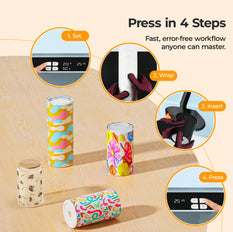
Using the HTVRONT Auto Heat Press is straightforward. Start by powering on the machine and allowing it to preheat to the desired temperature. Set the temperature and time using the control panel, which typically features digital settings for precision.
Prepare your material by placing the transfer design on the surface and ensuring it is aligned correctly. Open the press and position the material on the platen. Once everything is in place, the auto-press mechanism will lower the platen and apply consistent pressure automatically.
Monitor the timer on the control panel, and when the process is complete, the press will release the material. Carefully remove the project and allow it to cool before peeling off the transfer paper.
For best results, always use the recommended temperature, time, and pressure settings for your specific material and transfer type. Regularly clean the platen and inspect the machine to maintain optimal performance. Refer to the user manual for troubleshooting tips and additional guidance.
HTVRONT Auto Heat Press is designed to simplify crafting, making it ideal for both beginners and professionals.


Black Friday Gift