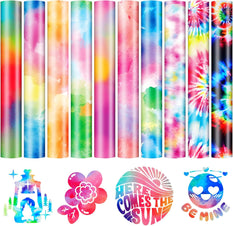
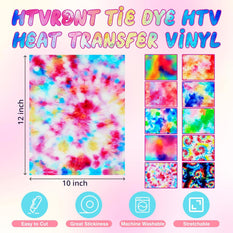
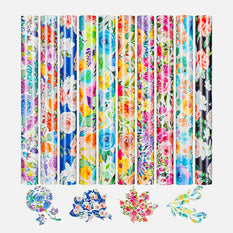
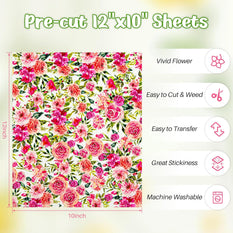
Heat Transfer Vinyl
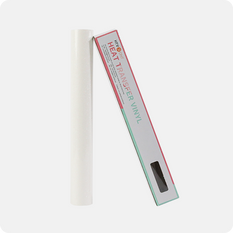
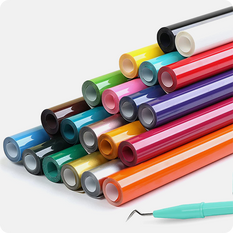
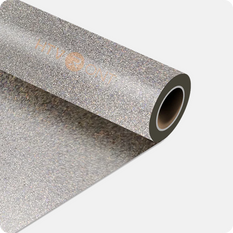
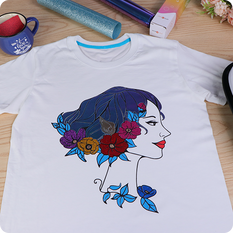
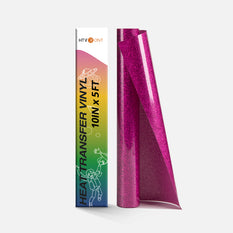
Heat Transfer Vinyl (HTV), also known as iron-on vinyl, is made up of PET, film layers, and a heat-activated adhesive backing that adheres firmly to surfaces under heat.
At HTVRONT, we're dedicated to making heat transfer vinyl both enjoyable and budget-friendly. Whether you're a seasoned expert or a complete beginner, we offer the best products to bring your next project to life.
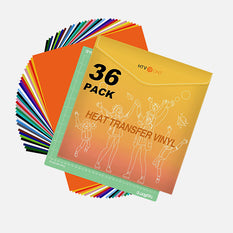
Explore our range of HTV sheets and rolls, designed to work seamlessly with Silhouette Cameo, LOKLiK, and many other craft cutters.
-
$16.99 Regular priceRegular priceSale priceUnit price per$16.99
-
$19.99 Regular priceRegular priceSale priceUnit price per$19.99
$25.99 -
$7.99 Regular priceRegular priceSale priceUnit price per$7.99
$14.99 -
$12.99 Regular priceRegular priceSale priceUnit price per$12.99
$14.99 -
$12.99 Regular priceRegular priceSale priceUnit price per$12.99
$19.99 -
$14.99 Regular priceRegular priceSale priceUnit price per$14.99
$16.99 -
$29.99 Regular priceRegular priceSale priceUnit price per$29.99
-
$15.99 Regular priceRegular priceSale priceUnit price per$15.99
$19.99 -
$8.99 Regular priceRegular priceSale priceUnit price per$8.99
$16.99 -
$6.59 Regular priceRegular priceSale priceUnit price per$6.59
$10.69 -
$79.99 Regular priceRegular priceSale priceUnit price per$79.99
-
$7.99 Regular priceRegular priceSale priceUnit price per$7.99
$10.99 -
$59.99 Regular priceRegular priceSale priceUnit price per$59.99
$74.99 -
$23.99 Regular priceRegular priceSale priceUnit price per$23.99
$39.99 -
$42.99 Regular priceRegular priceSale priceUnit price per$42.99
$45.99 -
$8.99 Regular priceRegular priceSale priceUnit price per$8.99
$12.99 -
$11.99 Regular priceRegular priceSale priceUnit price per$11.99
$11.99 -
$3.99 Regular priceRegular priceSale priceUnit price per$3.99
$6.99 -
$22.99 Regular priceRegular priceSale priceUnit price per$22.99
-
$14.99 Regular priceRegular priceSale priceUnit price per$14.99
$25.99
FAQ
Do you mirror heat transfer vinyl
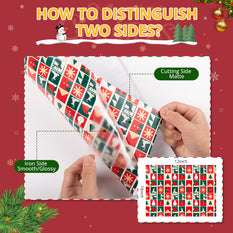
Why mirroring is essential: HTV is applied with the shiny carrier sheet facing up. When you cut the design, it cuts through the vinyl but not the carrier. The carrier sheet holds your design together so you can transfer it onto fabric.
The mirror rule: Your design must be cut in reverse (mirror image) so that when you flip it over for application, it reads correctly on your garment.
Exception: If your design is completely symmetrical (like a circle or centered text), mirroring isn't visually noticeable, but it's still good practice to mirror everything.
Quick tip: Always check your software's "mirror" or "reverse" setting before cutting. If your design looks backwards on your screen with text reading right-to-left, you're doing it correctly. After pressing and peeling the carrier sheet, your design will appear correctly on your fabric!
How to cut heat transfer vinyl
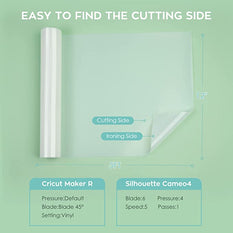
2. Load Material: Place the vinyl shiny carrier side down on your cutting mat (for Cricut) or shiny side up (for Silhouette). Ensure it lies flat without bubbles.
3. Adjust Settings: Select the appropriate material setting for your vinyl type. Use a brand-new blade for clean cuts. Common settings: "Iron-On" or "Heat Transfer" with standard pressure.
4. Test Cut: Perform a small test cut first. The blade should cut through the vinyl layer but NOT through the clear carrier sheet.
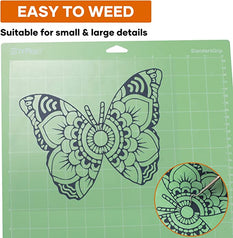
5. Weed: After cutting, remove excess vinyl from around your design, leaving only your design on the carrier sheet.
Always refer to your specific machine and vinyl brand guidelines for best results!
How to remove heat transfer vinyl
For Stubborn Areas: Reheat and use rubbing alcohol or adhesive remover on the residue. Scrape gently with a plastic tool.
For delicate fabrics: Place a paper towel over the design, apply heat, and the vinyl will stick to the paper towel as you peel.
Note: Some vinyl may leave shadow marks or adhesive residue that's difficult to completely remove from fabric.
How to use heat transfer vinyl
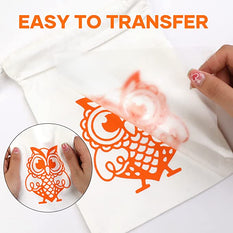
1. Design & Cut: Create your design in mirror image. Weed away excess vinyl from around your design.
2. Position: Place your garment on a heat press or ironing board. Preheat the fabric for 2-3 seconds to remove moisture.
3. Apply Heat: Position the vinyl (shiny carrier sheet up) and press firmly. Use 305°F (150°C) for 10-15 seconds with medium pressure.
4. Peel: Let it cool slightly, then peel the carrier sheet. Hot peel stretches some vinyls, while cold peel works better for others.
5. Finish: Cover with a teflon sheet and press again for 5 seconds to set. Wait 24 hours before washing inside out.
Remember to always test on a scrap piece first!
What is this Heat Transfer Vinyl used for?
Can We Wash And Dry This Iron-on Vinyl?
Related Collections
Guest Posts about Heat Transfer Vinyl
What Materials Should Be Used for Heat Press Designs on Life Jackets?
Tia Isom
Life jackets are essential safety gear for water-based activities such as swimming, boating, sailing, and water rescues. When creating designs, logos, or text for life jackets, heat press technology is...
How to Make DIY Playing Cards with a Mini Heat Press
Tia Isom
Discover how to make custom DIY playing cards with a mini heat press. This guide walks you through designing and transferring your unique artwork onto playing cards using tools like...
How to Make Creative Baby Bibs with a Heat Press
Tia Isom
Create soft, durable baby bibs with a heat press using heat transfer vinyl. Choose cotton or cotton blends for comfort, design simple graphics sized for bibs, then cut with a...
This Is the Right Way to Use Rainbow Glitter HTV
Tia Isom
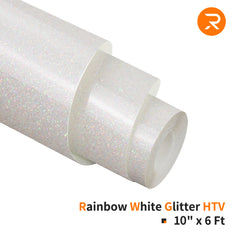
Rainbow Glitter HTV combines the sparkle of glitter vinyl with the freedom of custom colors using sublimation paper. This guide explores its unique features, how it differs from traditional heat...
Which Is Better: Vinyl or DTF?
Tia Isom
Explore the key differences between vinyl printing and DTF printing, two popular methods for custom apparel. Learn about their pros, cons, tools like vinyl cutter, heat transfer vinyl, puff vinyl,...
Puff Vinyl vs. Regular HTV: Which Heat Transfer Vinyl Should You Choose?
Tia Isom
Puff vinyl creates a raised 3D effect with a soft feel, best for bold, simple designs. Regular HTV presses flat, stays crisp, and handles fine details and frequent washing more...
Designing for Puff Vinyl: A Pre-Press Artwork Planning Guide
Tia Isom
Puff vinyl expands under heat, so artwork that works for regular heat transfer vinyl can lose detail or merge. This guide explains how to design puff-friendly graphics before you cut—favoring...
DIY Tips for Heat Press a Combo Design of Puff Vinyl and Regular HTV
Tia Isom
This guide explains how to heat press combo designs using Puff vinyl and regular heat transfer vinyl without flattening the puff. Start with a partial press to tack down the...


Cart Unlocks Add-On Deals